
 by
by 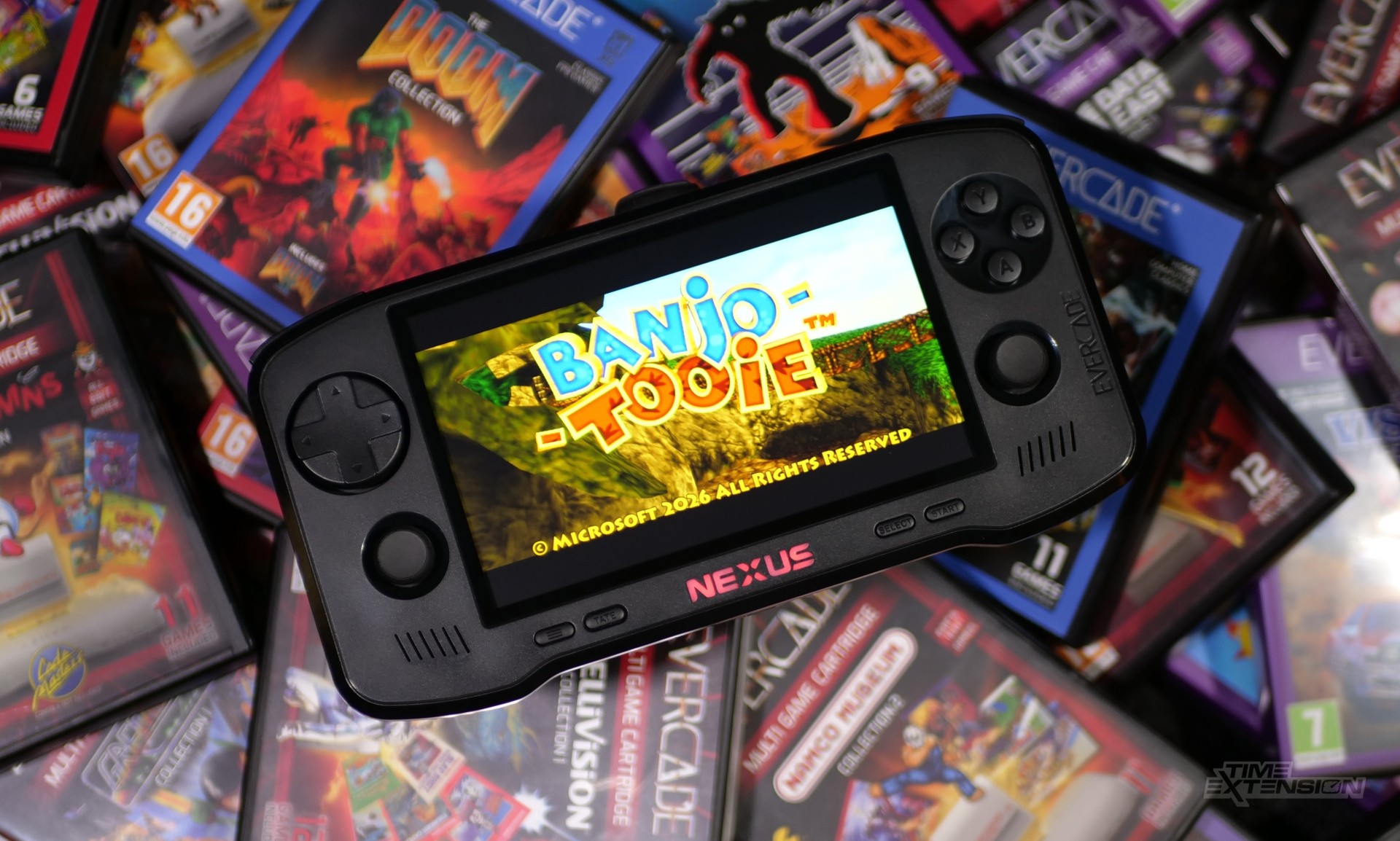
While the Evercade family has seen several hardware revisions and evolutions over the years – including a bartop arcade unit, a home console, and even a scaled-down Super Pocket sibling – the Evercade Nexus feels like the most significant step forward the brand has taken since its inception six years ago.
And it's easy to see why: the introduction of dual analogue sticks opens up a whole world of possibilities, not just within the existing Evercade catalogue (many games already support such an interface thanks to the fact that you can plug in third-party pads on the Evercade VS) but also in the future. There's a wealth of 'Dual Shock'-enabled PS1 games which could potentially be licensed for the platform, for example.
Possibly the best advertisement for those sticks comes with the console: Rare's Banjo-Kazooie Double Pack, which features the first game and its 2000 sequel, Banjo-Tooie. While I found Banjo-Kazooie surprisingly playable on the Rare Super Pocket's digital pad, it feels even better on the Nexus; the controls are superb, with the right-hand stick controlling the camera.
Evercade Nexus Review: Design & Display
The 5.89-inch IPS panel is the biggest change when comparing the Nexus to the existing EXP handheld. The resolution bump is less dramatic than you might expect: it's 840x512 pixels, while the EXP has an 800x480 screen. That means the effective DPI is actually lower on the Nexus than on the EXP, which has a 4.3-inch screen.
Despite this, the increased size really does make it feel like a different experience – and this is helped by the fact that it has a maximum brightness of 500+ nits, which gives it a real punch. It's not an OLED panel, and that may disappoint some people, but it still looks impressive.
Blaze has moved things around a little when compared to the Evercade EXP; the 'A' and 'B' buttons, which sat next to the D-pad and were intended for use solely in TATE mode, have been totally removed to accommodate the left-hand analogue stick; when using TATE orientation, the screen now spins 270 degrees instead of 90, and you use the right-hand analogue stick and four face buttons.
There's no TATE mode attachment this time around, but the larger form factor of the Nexus means it's possible to play without one relatively comfortably. I put several of Toaplan's finest vertically scrolling shmups through their paces and came away impressed with how the revised TATE setup performs; I'm really glad Blaze kept it on the Nexus.
The right-hand analogue stick has also shifted the Home, Start, and Select buttons, which are now arrayed with the TATE button (previously located on the bottom edge of the EXP) below the screen. The volume controls have also been moved from the bottom edge to the top of the Nexus, where they share space with the Power button. The bottom edge of the device has the USB-C port and 3.5mm headphone socket. The stereo speakers are no longer downward-firing; they're now on the front of the system, pointing directly at the player.
As is the case with so many pieces of consumer electronics these days, the Nexus doesn't ship with a power brick, so you'll need to source your own. It needs a 5V - 2A power supply, which is fairly common. Just make sure you have the right voltage, as I found it refused to charge with my Steam Deck charger.
Unlike the Mk1 Evercade EXP, the Nexus doesn't have a TV-out option. This would have been welcome, but the omission is understandable, given the existence of the Alpha and VS variants. Blaze quotes battery life at "over" five hours, a figure I largely agree with after spending over a week with the device.
Evercade Nexus Review: Controls
In terms of overall size, the Nexus feels a little like Nintendo's Switch Lite – it's certainly not as big as a device like the Switch 2, which is what I suspected when I saw the first trailer for the Nexus. The boosted proportions bring a lot of benefits; it's comfortable to use and naturally allows for the aforementioned larger screen.
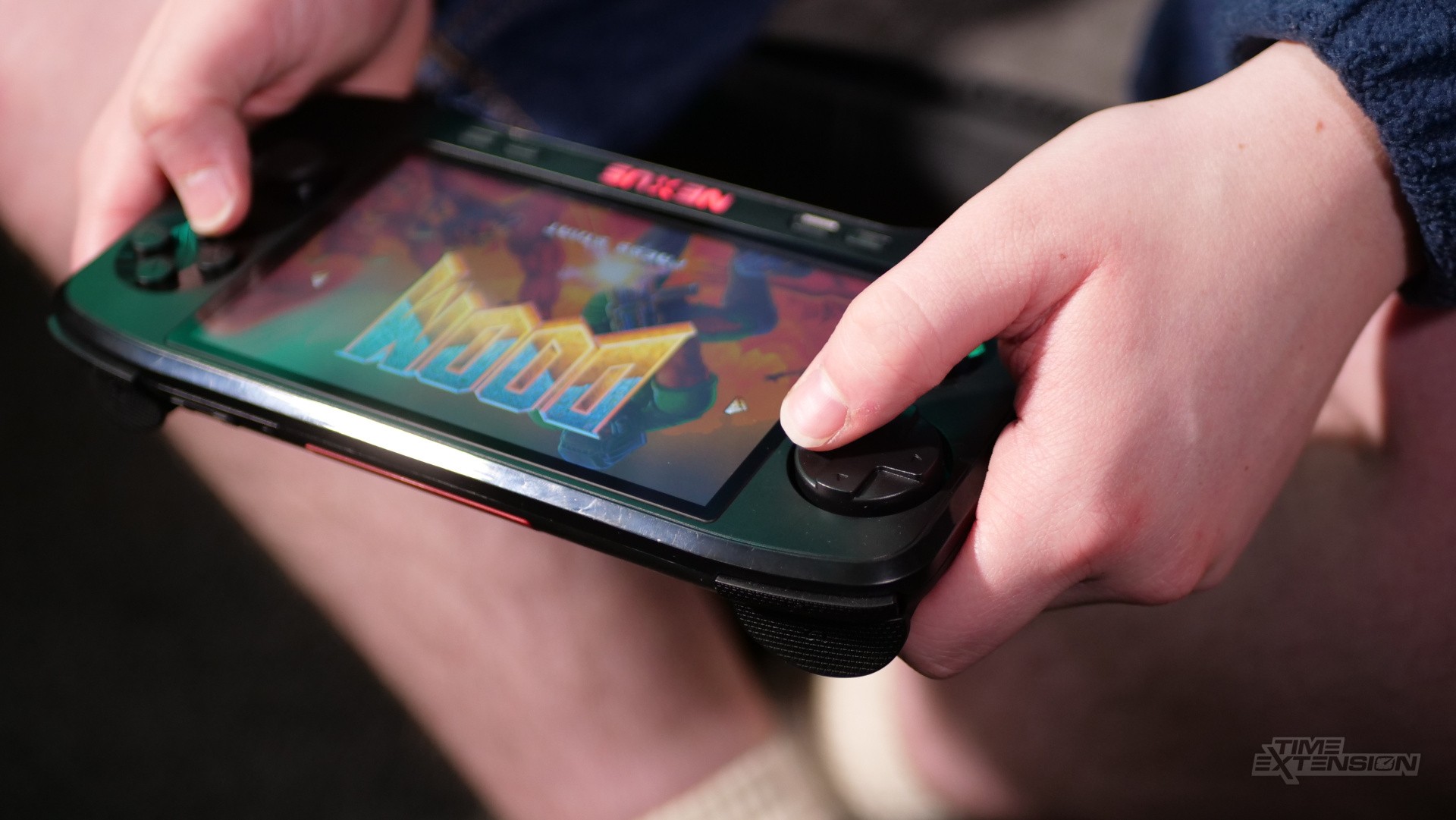
It also lets Blaze use analogue sticks, which games like Banjo and DOOM support by default. However, you'll need to dig into the settings to enable analogue support for some of the other titles in the Evercade library (like Glover), and even then, it is noted that the functionality is still in beta for those games.
However, I did find that the dimensions of the Nexus created some issues for me. I found it tricky to use the analogue stick and feather the shoulder buttons (which are all digital and very loud, by the way) at the same time, something that is occasionally required when playing both Banjo-Kazooie titles. If the left-hand analogue stick were where the D-pad is, this wouldn't be an issue, but I can see why Blaze set it up this way, given the Evercade library's focus on digital-input gaming.
So, is this a deal-breaker? I don't think so personally, despite having to contort my fingers to use those shoulder triggers effectively, and if you're lucky enough to have larger mitts than me, you may not find it a problem.
The D-pad on the Nexus has changed a little compared to previous consoles. It's larger, for one, but retains the 'rolling' design which makes it ideal for fighting games. My only complaint is that the pad sits rather high on its plastic stalk, and while this helps with movement and travel, the pad on my review unit felt like it didn't return to neutral as quickly as it should, especially when I pressed hard on the right-hand side. This had zero impact on responsiveness, I should stress – I never noticed any missed or unintended inputs, for example – but I feel it's worth mentioning all the same.
While I think Blaze has found the sweet spot in terms of size (occasional finger-stretching aside), it's worth acknowledging that expanding its form factor reduces the latest Evercade handheld's portability. I rarely leave the house with my Switch 2, and my Steam Deck doesn't come on the road with me, either.
In my opinion, these devices don't lend themselves to use outside the home. However, the original Evercade and its EXP sibling were small enough to chuck in your rucksack without feeling like a burden, so you could argue that something has been lost in the shift to larger hardware. Whether the bigger screen and improved interface balance that out will be down to personal taste, I suspect.
Evercade Nexus Review: Software
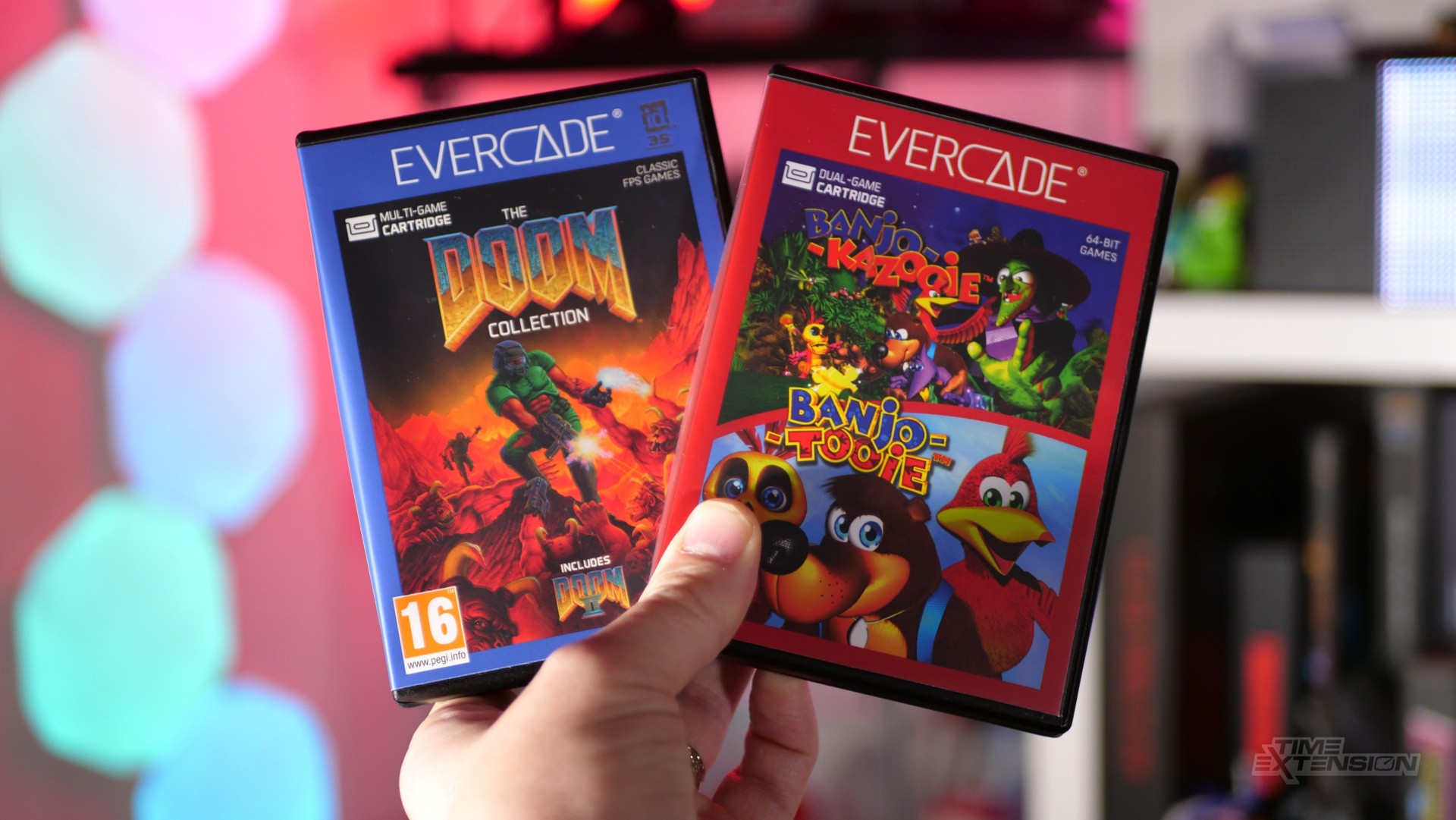
Since launching in 2020, the Evercade range has grown its library to over 70 cartridges, and if you add up all the games included, you're looking at more than 700 titles – so you can hardly say there's a lack of variety in the Evercade software ecosystem. I tried a large selection of existing Evercade carts on the Nexus and didn't run into any serious performance or compatibility issues; the only problem I noted was that, after removing a cart and plugging in Piko Collection 4, Glover refused to load. However, rebooting the entire device fixed it.
The focus with Evercade has always been retro games, and we've seen collections from the likes of SNK, Atari, Taito, Data East, Codemasters, The Bitmap Brothers, Rare, Gremlin and more. All of these carts come with full-colour instruction manuals, and the best part is that once you buy them, the games are yours forever – a key selling point in an era when modern gaming has become increasingly digital and long-term ownership is a serious issue.
The Nexus ships with the aforementioned Banjo-Kazooie Double Pack, which contains the duo's two N64 adventures, retooled as native Evercade titles. This means you get several benefits, including higher resolution, improved performance, adapted controls, extra features, and more. Banjo-Kazooie was included as a built-in game on the Rare Super Pocket, but this pack brings Banjo-Tooie to Evercade for the first time. Both run brilliantly and serve as an ideal showcase of Blaze's platform as a whole.
In terms of UI, the Nexus has a slightly different menu than the EXP and VS, plus some features tied directly to the new hardware. The most obvious is the 'customisation' option, which lets you change the menu background and have that colour reflected in the console's LED-illuminated Nexus logo below the display. You can even turn the LED off entirely, or lower its brightness when playing a game so it isn't a distraction.
'Wireless audio' (that's Bluetooth to you and me) is also supported. Despite a warning in the settings menu that this might cause audio delay, my Sony WH-1000XM5 headphones worked perfectly with the Nexus, and I didn't notice any latency.
Standard Evercade features like screen filters are present and correct, and I found that the larger display really helped the scanline option stand out; on the smaller screen of the EXP I usually disabled scanlines because they caused some weird image effects, but here they look a lot more agreeable aesthetically.
One of the other big selling points of the Nexus – and a feature I sadly was unable to test during my review period due to the fact that I've only got a single system – is EverSync. It allows you to connect two Nexus for local multiplayer, even if you're not connected to the internet.
This means you don't both need to own a cart to enjoy some local competition. If this works as described, it's a fantastic addition to the Nexus; if I can test it in the future, I'll update this review with my impressions.
Evercade Nexus Review: Conclusion
The Nexus may improve on the EXP in controls and display size, but when it comes to raw processing power, Blaze has kept things relatively stable to ensure compatibility between this new device and the Evercades already on the market.
This desire to avoid splintering the audience is commendable, and, as I alluded to earlier, plenty of PS1, N64, and '90s home computer titles still exist that will run perfectly well on this spec and haven't yet been licensed by Blaze for Evercade release.
Plus, there's the inescapable fact that the brand's reputation has equally been built on '80s and '90s arcade, computer and console emulation, so, with that in mind, you could rightly argue that a power boost (certainly in the current climate) makes little sense.
Even so, despite the modest price bump (the RRP of the EXP is £129, while the Nexus is £169.99 – and the latter comes with the Banjo cart), there may be some who feel disappointed that the power hasn't been increased here – if only to future-proof the system should Blaze decide to emulate more recent hardware.
Those people are going to have to wait a good few years, it would seem, before the Evercade platform is given an injection of processing grunt, but for the time being the Nexus is arguably the best entry point for anyone remotely interested in checking out the wide selection of physical carts available via Blaze's retro-focused hardware initiative.
Thanks to Blaze for the supplying the sample used in this review. The Evercade Nexus launches on October 30th and will cost £169.99 / $199.99 / €199.99.
Please note that some external links on this page are affiliate links, which means if you click them and make a purchase we may receive a small percentage of the sale. Please read our FTC Disclosure for more information.


Comments 19
Looks great, and I’m sure I’ll recommend it to some friends, but as an EXP, VS, Alpha and Super Pocket owner, I’m getting a little sick of buying consoles that play the exact same games. It’s commendable that they want all Evercade games to work on all systems, but also, it’s just not enough to make me excited.
@Krambo42 I'm pretty much in the same situation with Evercade. At least at the moment.
However, I might change my mind if they end up releasing more 3D/Analog required games to the platform. But so far, I'll stick with my OG Evercade portable
@Damo it is really good to hear that you feel the TATE mode works well with the analogue stick as I'd asked about this in the comments section on a couple of your previews for this.
Please forgive me for being a sceptic though. I've never heard anyone who plays shmups say that analogue control is an adequate substitute for accurate 8-way controls. What is different here? Or is this more for casual play (which is fine too but changes the purview of the device)?
I am not interested in any 3D games before DC / GC maybe there are a few Arcade ones from around the N64 time. I wish I could easily get an Alpha with a decent set of built in games. (Even just what is on the Capcom Super Pocket)
Looking forward to receiving mine and glad to hear the screen aids clarity for those scanline options. The EXP will remain in use because of the Capcom library built-in, and HDMI out...but I am v excited to play my library on such a big screen. Here's hoping they license some more PSOne bangers...Desert Strike collection / Gradius collection / Konami Arcade classics collection would also be most welcome.
This is the Evercade I've been waiting for. I had no idea they were bundling the Banjo-Kazooie double pack though. That's quite tempting!
Worth not sure if I'll buy this, since it's main appeal is retro gaming, which I can already do on the steam deck, but a new version of Banjo-Tooie does make this rather tempting... Just not enough to spend $200 on.
Thanks for the nice Nexus review. Very indepth regarding the controls. I'm looking forward to play Banjo Kazooie and Banjo Tooie on Evercade.
Completely, absolutely pointless. 😆
I've got the Banjo cart preordered, but not feeling the urge to upgrade to the Nexus just at the moment. I've got an EXP and a VS-R and I think that ought to cover my bases for now. If I've got a game that really needs analogue input, I can play it on the VS-R.
Playing games in Tate mode, with the analogue stick, is definitely a downgrade.
Though guess there was no space left, for buttons near the dpad.
Having dipped a toe in the ecosystem with the Neo Geo Super Pocket and a trio of carts I am tempted by this. But then I have a OLED Steam Deck I am underutilising for retro gaming, so perhaps I should be focusing on that for now? But maybe the Nexus will be much nicer to play the Evercade games on than the Super Pocket and I won’t regret it?
Help! 😆
@Blister having played games on my Super Pocket and Exp, the screen size increase and bigger size makes for a better experience in my view. Super pocket is a great novelty, but the screen on the nexus is a massive improvement. Tate mode is a big deal if you like vertical shooters. The library now including native ports of doom and banjo really drive home the selling point of that screen
I'm still using the OG handheld, and enjoy it, but I'm starting to have the need for a bigger screen, and the wireless earbuds feature is very welcome too, because the wired earphones give a really low sound in that device.
I do take the Switch 2 on the road and don't have a problem with its size, so the Nexus is the natural upgrade in my case coming directly from the OG, whenever the new handheld is on sale. The only problem: I love the OG and I'll feel as if I'm leaving someone for someone else.
@slider1983 Your comment, you mean? If you don't like it, why comment?
“spins 270 degrees instead of 90”. Isn’t that just 90 degrees in the other direction? 🤔
@GravyThief Yes, but I think Damo was trying to relate clearly which end of the device you end up holding.
I still think this needs to be in £100-£120 price range. I get it that component costs are through the roof, and that the two Banjo games are a real sweetener. But £170 is a lot for not much in the way of tech. I don't know why they don't just subcontract the manufacturing to an outfit like Anbernic.
I'll say this for Blaze and Evercade, though. What they're doing now is lightyears ahead of all that AtGames crap they used to pump out.
@Agent_P I am allowed to give my opinion and here it's warranted for me not to like this.
As someone on the fence, the fact it does not have sleep and slow to boot up has me skipping it. The reviewer here does not mention this. I am buying banjo and doom, but no nexus.
Show Comments
Leave A Comment
Hold on there, you need to login to post a comment...